 JIJI LABS
 Tillpad
 Tillpad · cash register app for Android
Tillpad
Sell in four taps. Offline. No account.
Tillpad is a cash register (POS) app for cafes, restaurants and warung, shops, bakeries and service businesses. Tap the item, tap Pay, tap the cash, tap Done. It is a POS app without account: nothing to sign up for, no internet needed to take an order, and your data stays on your phone.
- No account
- Works offline
- No ads, no tracking
- Receipts on WhatsApp
Tillpad is made by Jiji Labs (PT JIJI LABS DIGITAL).
A look inside Tillpad
The cashier, tables and kitchen tickets, barcode and stock, and receipts you can send on WhatsApp.
Everything a small shop needs at the counter
Built for one phone or tablet and one to three people at the till, in cafes, warung, shops, bakeries and service businesses.
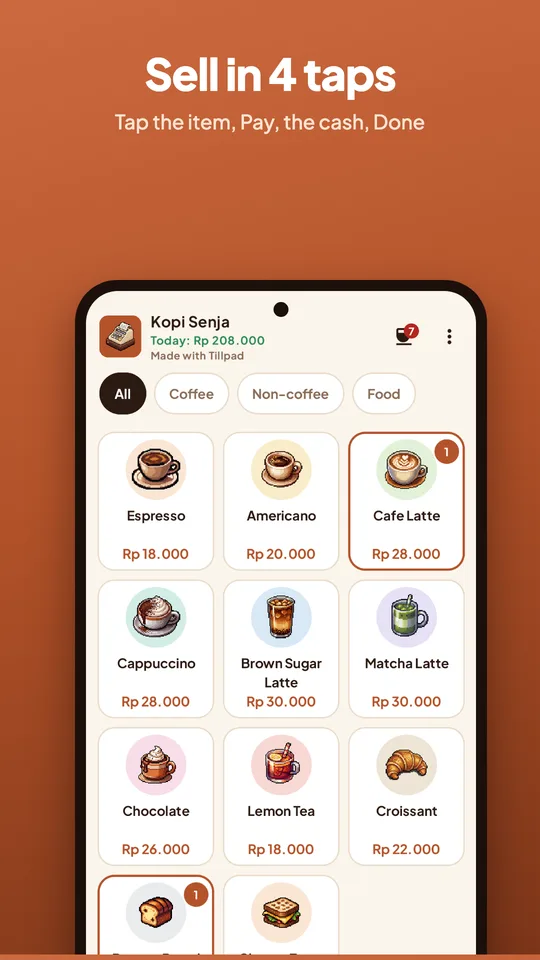
Sell in four taps
Big item tiles and plain words. Add sizes, hot or iced and add-ons with their own prices, a note on each item and a customer name or queue number.
Cash, change and more
Quick cash amounts and change worked out for you, optional cash rounding, discounts by amount or percent, optional tax and service charge. QRIS, transfer, card and e-wallet are recorded, and your own QRIS picture can be shown at payment.
Receipts your way
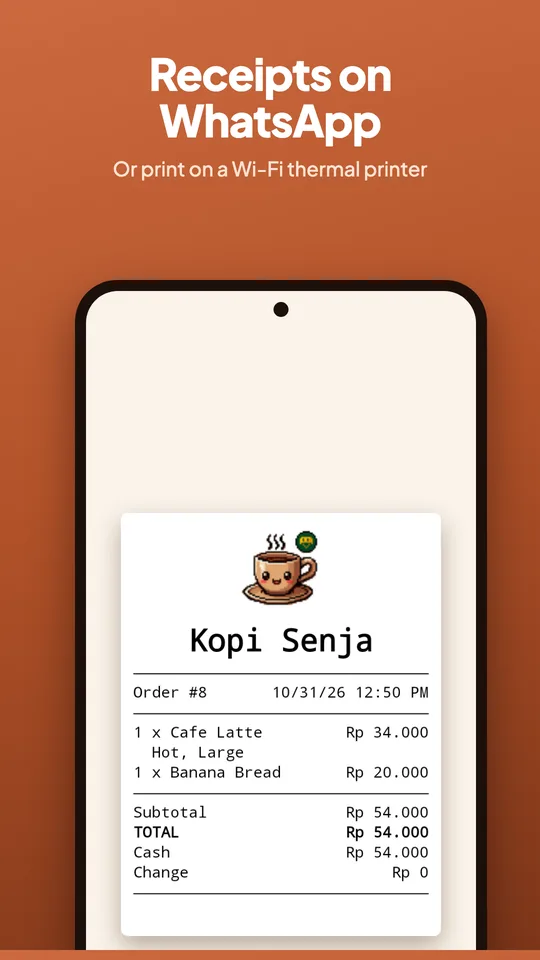
Send a receipt picture on WhatsApp in one tap, or print on a Wi-Fi 58 mm or 80 mm thermal printer. Bluetooth printing is in beta. Add your address and a thank-you line.
Restaurants and warung
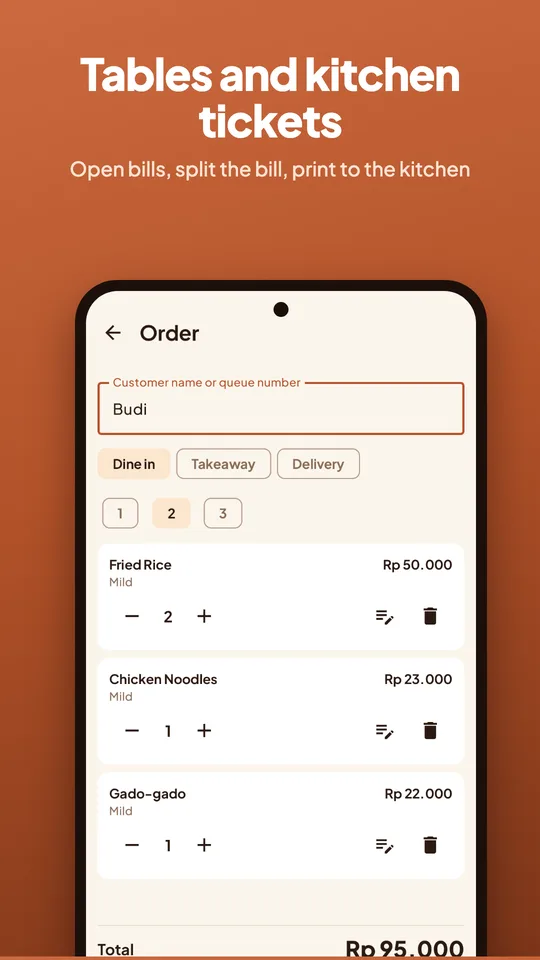
Tables, dine in, takeaway and delivery. Keep a bill open and pay later, split the bill by item or equally, and print a ticket for the kitchen.
Shops and bakeries
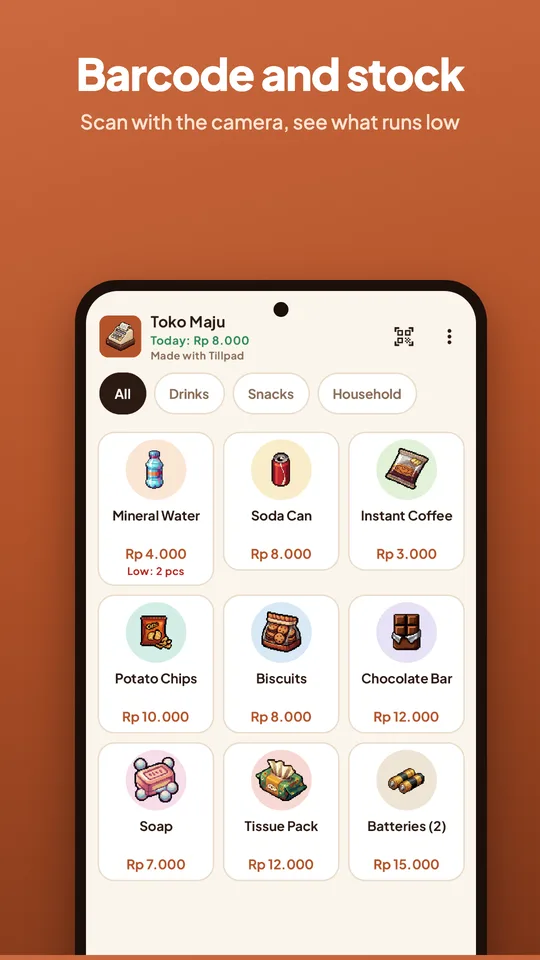
Scan barcodes with the camera, track stock and see what is running low. Selling lowers the count and voiding an order puts it back.
Run the day
A queue for the barista, shifts with the cash in the drawer, order history with void and reason, today's sales and best sellers, and a daily backup.
A free register with an honest free plan
Tillpad is free to use for selling. These are the only limits of the free plan:
- No limit on salesSell as much as you like. There is no daily cap.
- No account, no adsOpen the app and sell. Nothing to sign up for.
- Tillpad logo and creditFree receipts and the cashier show the Tillpad logo and a small "Made with Tillpad" line.
- Today's report and one printerToday's sales and best sellers, and one printer, are free. A backup file is free too.
Pro, when you need more
Tillpad Pro is an optional subscription through Google Play. It adds:
- Your own logo on the screen and on receipts, without the Tillpad credit
- Reports for the last 7 days and the month
- CSV export of your sales
- More than one printer, for example a kitchen printer
Prices are shown in Google Play, in your currency, before you buy. Cancel any time.
Your data stays on your phone
Tillpad works as a POS app without account. We have no Tillpad server and we never receive your menu, sales or customers.
- No accountOpen the app and start. No sign-up, no sign-in.
- No ads, no trackingNo ads, no analytics, and your data is never sold or shared.
- Data on your deviceEverything is stored on your phone. Data leaves only when you send a receipt, print, export or back up.
- Camera stays localThe camera only reads barcodes on your device. Nothing is saved or sent.
Questions people ask
Is Tillpad really free?
Yes. You can sell without paying and there is no limit on sales. Tillpad Pro is optional and adds your own logo, longer reports with CSV export and more than one printer.
Do I need an account or internet?
No account and no internet to take orders. Receipts on WhatsApp need WhatsApp to send, and printing to a Wi-Fi printer needs your own Wi-Fi.
Which printers work?
Wi-Fi (network) thermal printers that accept standard ESC/POS on port 9100, 58 mm or 80 mm. Bluetooth printing is in beta. You can always send a receipt on WhatsApp instead.
Does Tillpad confirm QRIS payments automatically?
No. Tillpad shows your own QRIS picture and records the payment. You check that the money arrived in your own banking or e-wallet app.
Where is my data?
On your phone, in the app's private storage. Tillpad saves a copy once a day (the last seven are kept) and you can save a backup file anywhere and restore it on a new phone.
When is it on Google Play?
Soon. Write to support@jijilabsdigital.com if you would like to hear when it is out.
Help and documents
Questions or ideas? Write to support@jijilabsdigital.com. We reply within one working day.
Tillpad is made by Jiji Labs (PT JIJI LABS DIGITAL).