 JIJI LABS
 Payflick
 Payflick · invoice maker app for Android
Payflick
Make an invoice in a minute. Send it on WhatsApp.
Payflick is an invoice maker app for Android. Make invoices, estimates and receipts as clean PDFs, then send them on WhatsApp, by email or print them. It is an invoice app without account: nothing to sign up for, and your business data stays on your phone.

- No account
- No ads, no tracking
- Works offline
- PDFs in 18 languages
Payflick is made by Jiji Labs (PT JIJI LABS DIGITAL).
A look inside Payflick
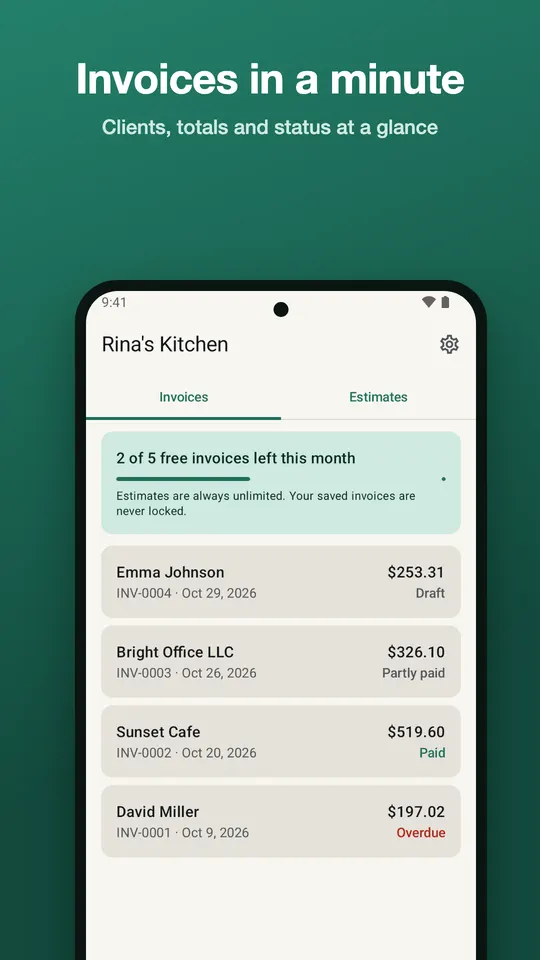
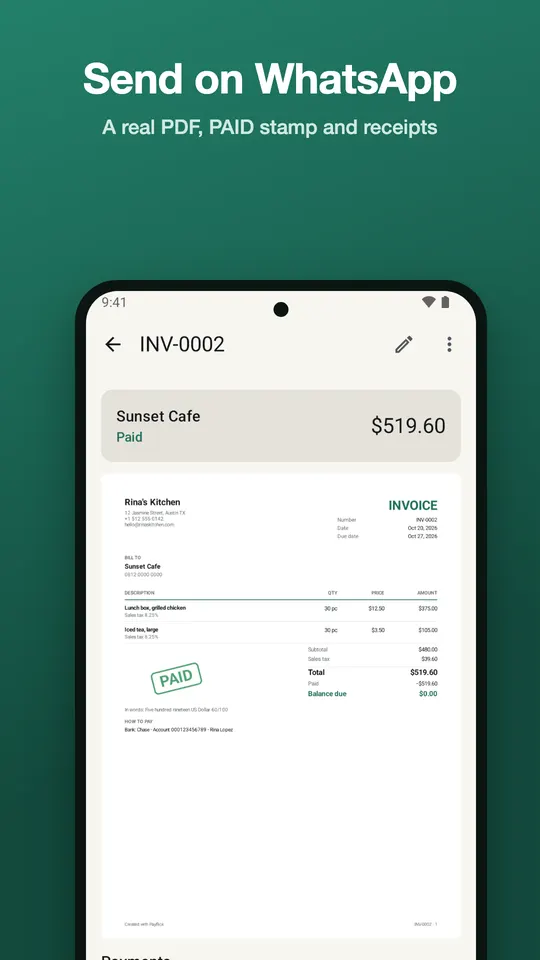
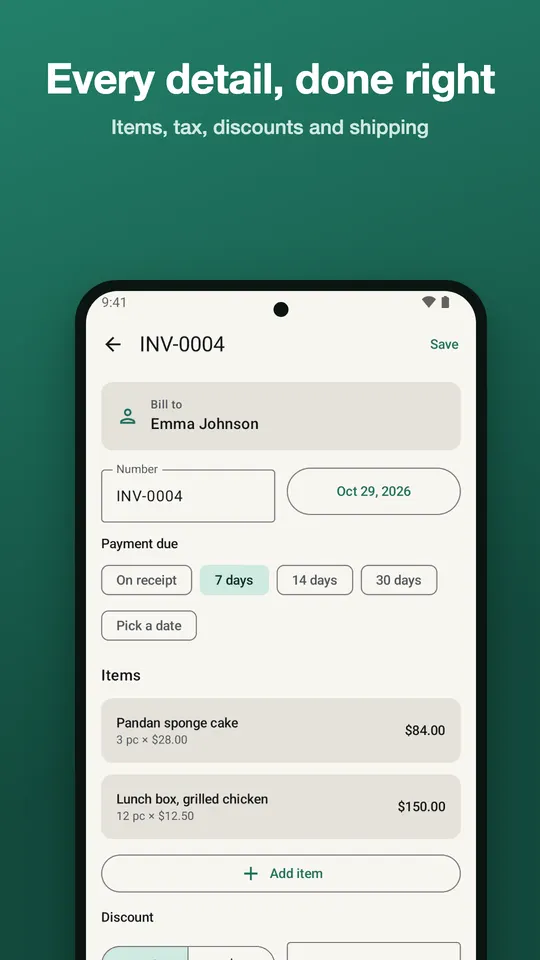
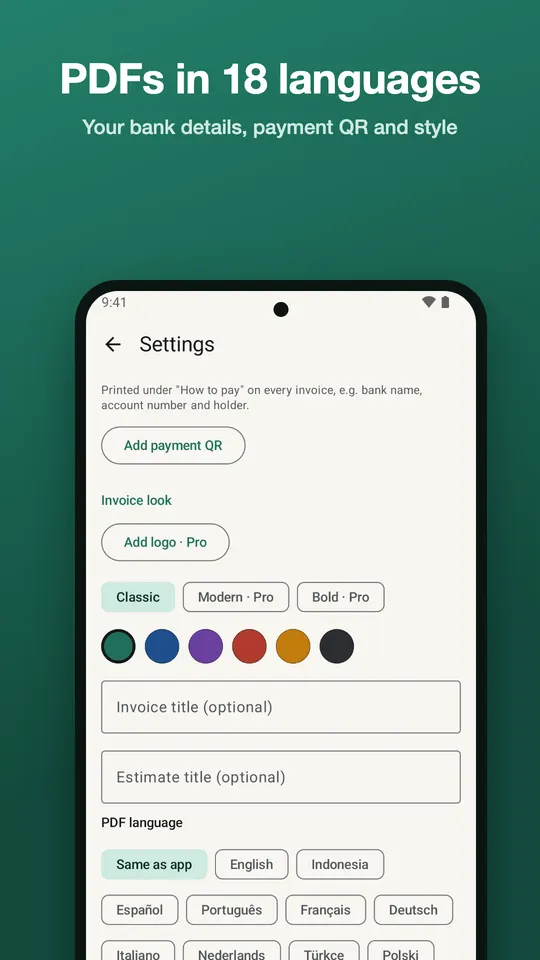
Invoices with status at a glance, a real PDF ready for WhatsApp, every line item, and your own payment details.
Everything a small business needs to get paid
Payflick is an estimate and receipt maker as well as an invoice maker, built for freelancers, shops, home businesses and tradespeople who bill from their phone.
Invoices and estimates
Clean PDFs with automatic numbering, due dates by terms, and unlimited line items. Turn an estimate into an invoice in one tap.
Send invoice on WhatsApp
Tap WhatsApp, email, share or print. The real PDF is sent, so your customer receives the document itself.
Receipts and PAID stamp
A receipt for every payment, with the amount in words. A PAID stamp appears on invoices that are settled.
Partial payments
Record a full payment or a deposit and see what is still unpaid.
Your payment details
Your bank details and a payment QR are printed on every invoice.
Tax, discounts, shipping
Discount per item or per invoice, shipping, and tax added or included, with your own tax name (VAT, GST, IVA and others).
Clients and saved items
Save clients and the things you sell. Import a client from Contacts without giving Payflick access to your contact list.
Signature and photos
Sign with your finger and attach up to 3 photos to a document.
Any currency, 18 languages
Any currency with the right decimals. Make PDFs in 18 languages, whatever language your phone uses.
Works offline
Make, edit and export documents without a connection.
A free invoice app with an honest free plan
Payflick is a free invoice app you can keep using. These limits are all there is to the free plan:
- 5 new invoices every monthA counter on screen always shows how many you have left.
- Estimates and receipts are unlimitedMake as many as you need.
- Saved invoices are never lockedOpen, edit, re-send and print invoices you already made, any time.
- Backup and spreadsheet export are freeSave a backup file and export your data.
A new invoice counts toward the 5 the first time it is shared, printed or exported. Drafts do not count. Turning an estimate into an invoice counts as one invoice.
Pro, when you need more
Payflick Pro is an optional subscription through Google Play. It adds:
- Unlimited invoices
- Your logo on every invoice
- Modern and Bold templates
- Due-date reminders
- Monthly and yearly reports
- No “Created with Payflick” line
In Indonesia: Rp29.000 per month or Rp179.000 per year.
Prices vary by country and are shown in Google Play before you buy. Cancel any time. Your price stays the same for as long as you stay subscribed.
Your data stays on your phone
Payflick works as an invoice app without account. We have no Payflick server and we never receive your invoices or clients.
- No accountOpen the app and start. No sign-up, no sign-in.
- No ads, no trackingNo ads, no analytics, and your data is never sold or shared.
- Data on your phoneEverything is stored on your phone. Data leaves only when you send, print, export or back up.
- Backup you controlSave a backup file to Google Drive or anywhere you like, and restore it on a new phone.
Questions people ask
Is Payflick really free?
Yes. The free plan includes 5 new invoices every month, and estimates and receipts are unlimited. Invoices you already made are never locked. Payflick Pro is optional and adds unlimited invoices, your logo, more templates, reminders and reports.
Do I need an account to use Payflick?
No. Payflick is an invoice app without account. On first run you enter your business name, and everything else is optional. Your data is stored on your phone.
How do I send an invoice on WhatsApp?
Finish your invoice, then tap WhatsApp. Payflick makes a PDF on your phone and attaches the real file to the chat. You can also send it by email, share it with another app, or print it.
Can I make estimates and receipts as well as invoices?
Yes. Payflick is an estimate and receipt maker too. Estimates and receipts are unlimited on the free plan, and an estimate becomes an invoice in one tap.
Where is my data, and can I back it up?
On your phone only. You can save a backup file to Google Drive or anywhere you choose, and restore it on a new phone. Android may also include the data in your own Google account backup if you have that turned on.
Does Payflick work without internet?
Yes. You can make, edit and export documents offline. You need a connection only to send a PDF through an app that needs one, such as WhatsApp, or to buy Pro.
Help and documents
Questions or ideas? Write to support@jijilabsdigital.com. We reply within one working day.
Payflick is made by Jiji Labs (PT JIJI LABS DIGITAL).